
Midnight Icon Pack2.0 - Google Play
You'll be able to see results in few seconds.
Publisher Description
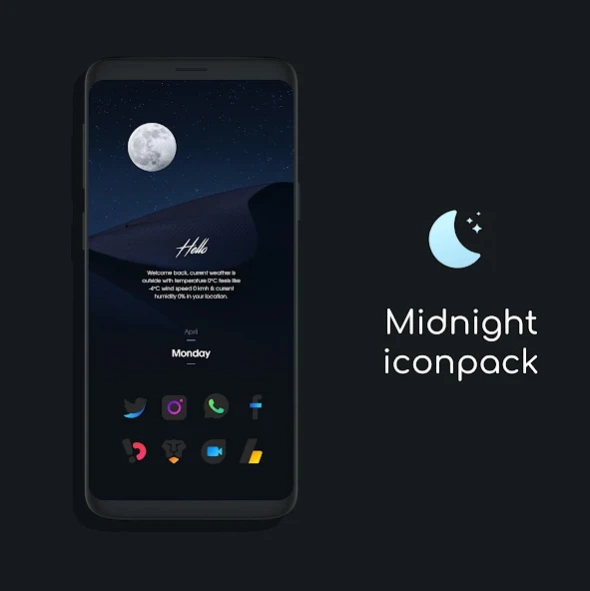


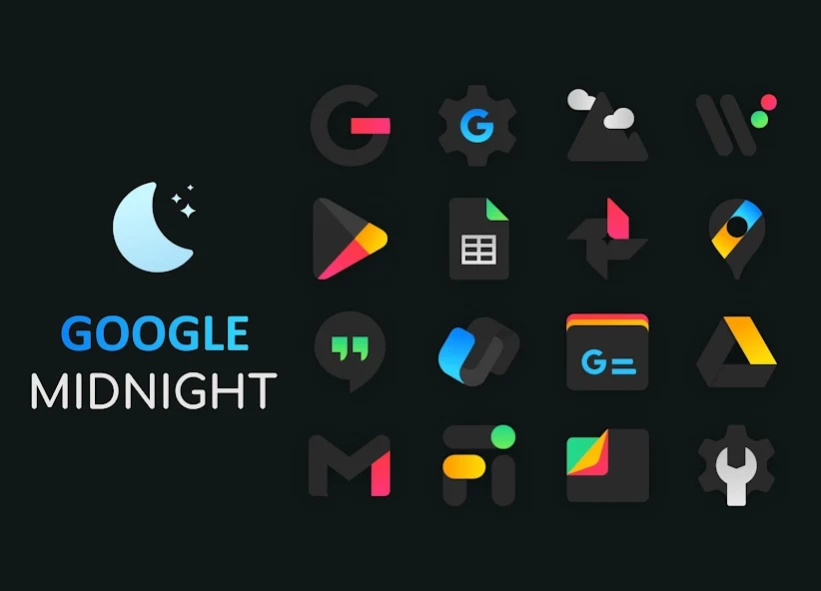
Dark icons with gleaming neon colors.
Why Midnight Icon Pack?* Midnight icons are specifically designed for those who love dark wallpapers and setups.
* Little mixture of shining neon colors creates beauty in the darkness and makes the icons pop up and look beautiful.
* The neon colors are attractive and pleasing to the eye, especially with dark wallpapers.
* The icons are designed for both
light wallpapers
and
dark wallpapers
.
So hurry up and get the latest Midnight Icon Pack!
FEATURES
* Dynamic calendar support.
* icon request tool.
* Beautiful and clear icons with 192 x 192 resolution.
* Compatible with multiple launchers.
* Help and FAQ section.
* Ads free.
* Cloud-based wallpapers.
you are purchasing only icons, wallpapers available in the app are from UNPLASH.COM, they are totally FREE
HOW TO USE
You will need a launcher that supports custom icon packs, supported launchers are listed below...
* iconpack for NOVA (recommended)
nova settings --> look and feel --> icon theme --> choose Midnight Icon Pack.
* iconpack for ABC
themes --> download button(top right corner)--> icon pack--> choose
Midnight Icon pack.
* iconpack for ACTION
action settings--> appearance--> icon pack--> choose Color Line DARK Icon Pack.
* iconpack for AWD
long press home screen--> awd settings--> icon appearance --> underneath
Icon set, choose Midnight Icon Pack.
* iconpack for APEX
apex settings --> themes--> downloaded--> choose Midnight Icon Pack.
* iconpack for EVIE
long press home screen--> settings--> icon pack--> choose Midnight Icon Pack.
* iconpack for HOLO
long press home screen--> settings--> appearance settings--> icon pack-->
choose Midnight Icon Pack.
* iconpack for LUCID
tap apply/ long press home screen--> launcher settings--> icon theme-->
choose Midnight Icon Pack.
* iconpack for M
tap apply/ long press home screen--> launcher--> look and feel-->icon pack->
local--> choose Midnight Icon Pack.
* iconpack for NAUGAT
tap apply/ launcher settings--> look and feel--> icon pack--> local--> choose
Midnight Icon Pack.
* iconpack for SMART
long press home screen--> themes--> underneath icon pack, choose
Midnigh Icon Pack.
If you have any issues with the icon pack, PLEASE send me an email before rating the icon pack low or writing negative comments. I will help you...
Follow me on Twitter: https://twitter.com/SK_wallpapers_
Follow me on Instagram: https://www.instagram.com/_sk_wallpapers/
CREDITS
* Jahir Fiquitiva for providing such a great dashboard.
Thank you
for visiting my page.
About Midnight Icon Pack
The company that develops Midnight Icon Pack is SK wallpapers. The latest version released by its developer is 2.0.
To install Midnight Icon Pack on your Android device, just click the green Continue To App button above to start the installation process. The app is listed on our website since 2021-12-05 and was downloaded 0 times. We have already checked if the download link is safe, however for your own protection we recommend that you scan the downloaded app with your antivirus. Your antivirus may detect the Midnight Icon Pack as malware as malware if the download link to midnight.iconpack is broken.
How to install Midnight Icon Pack on your Android device:
- Click on the Continue To App button on our website. This will redirect you to Google Play.
- Once the Midnight Icon Pack is shown in the Google Play listing of your Android device, you can start its download and installation. Tap on the Install button located below the search bar and to the right of the app icon.
- A pop-up window with the permissions required by Midnight Icon Pack will be shown. Click on Accept to continue the process.
- Midnight Icon Pack will be downloaded onto your device, displaying a progress. Once the download completes, the installation will start and you'll get a notification after the installation is finished.
Program Details
System requirements
Download information
Pricing
Version History
version 2.0
posted on 2021-12-06
359 new icons added.
version 1.5
posted on 2021-08-16
16 Aug> v1.5 (Latest)
27 new icons.
27 July> v1.4
66 new icons.
29 Jun> v1.3
31 new icons.
27 May> v1.2
31 new icons.
24 May> v1.1
45 new icons.
version 1.4
posted on 2021-07-27
27 July> v1.4 (Latest)
66 new icons.
29 Jun> v1.3
31 new icons.
27 May> v1.2
31 new icons.
24 May> v1.1
45 new icons.
version 1.3
posted on 2021-06-29
29 June> v1.3 (Latest)
31 new icons added.
27 May> v1.2
31 new icons added.
16 May> v1.1
45 new icons added.
version 1.2
posted on 2021-05-27
31 new icons added.
Disclaimer
Official Google Play Link
We do not host Midnight Icon Pack on our servers. We did not scan it for viruses, adware, spyware or other type of malware. This app is hosted by Google and passed their terms and conditions to be listed there. We recommend caution when installing it.
The Google Play link for Midnight Icon Pack is provided to you by apps112.com without any warranties, representations or guarantees of any kind, so access it at your own risk.
If you have questions regarding this particular app contact the publisher directly. For questions about the functionalities of apps112.com contact us.
